Alex Revo 71b9b • REV 1
Asset Details
Views 2114
Saves 0
Likes 0
Revision 1
Alias 71b9b
Created Sep 24, 2025

Section as a modal window

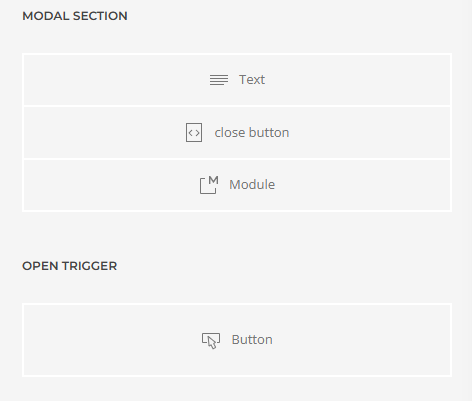
This layout contains a button that opens, in a modal window, all the content located in another section. This is a classic example of how to create a controlled popup layout with any set of elements on your page. It's best to use CSS rules to change the window's width. Everything else should be intuitive. | The layout author is Alex Revo, a member of the Yootheme Pro support team and an independent expert. You can contact me for any assistance: → Expert assessment of the feasibility of any task → Auditing layouts in Figma, Adobe XD, Photoshop, etc., for compatibility issues with UIKIT markup → Marking up layouts of any complexity → Selecting elements for a layout, configuring dynamic content → Modifying elements, adding new fields and attributes → Optimizing page load speed → Troubleshooting issues with the page builder | My website is alexrevo.pw
Implementation Instructions

To implement this YOOtheme Pro layout in your Joomla or WordPress site, follow these simple steps:

1

Install Prerequisites

Ensure you have YOOtheme Pro Builder 4.5+ installed and activated on your Joomla or WordPress site.

2

Download Yoobox Plugin

Download and install the right Yoobox Plugin for the intended platform (Joomla or WordPress).

3

Access Layout Library

In YOOtheme Pro Builder, navigate to a Layout or Template and open the Layout Library.

4

Find the Yoobox Tab

Click on the Yoobox tab within the Layout Library to access Yoobox layouts.

5

Import and Customize

Find the layout you want to implement and select it to preview it. Follow any additional setup instructions provided.

Pro Tip

Copy this asset alias 71b9b to quickly search for it in the Yoobox plugin.

Log in to your account
Enter your email and password below to log in
Email address
Remember me
Don't have an account? Sign up